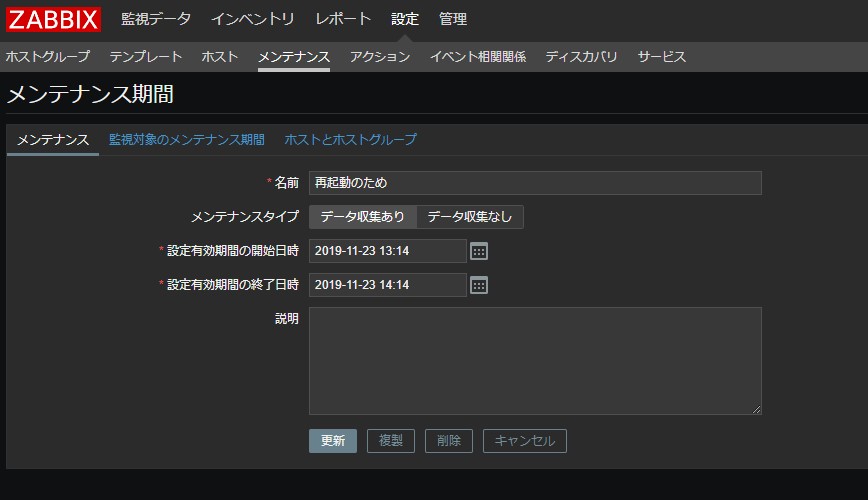
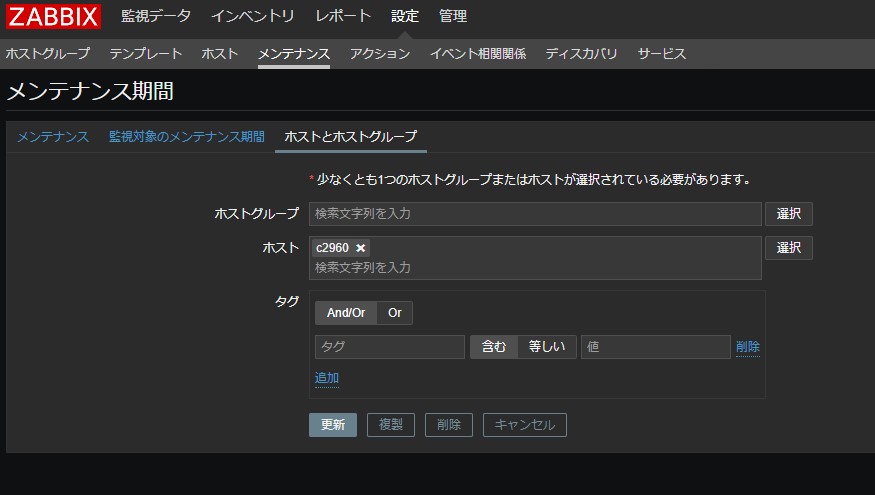
Zabbix API で Shell からメンテナンスを操作するを見て、Zabbix4系でもできたら良いなと思って作りました。作ったメンテナンスの情報を削除しない予定なので、メンテナンスの作成のみとなっています。
Zabbix APIからのメンテナンス操作についても参考にさせて頂きました。
【環境】
CentOS Linux release 7.7.1908 (Core)
Zabbix 4.4.0
コード
#!/bin/bash
#
# Create maintanance period on zabbix for specific host.
# Default maintenance period is 1 hours.
# If you need to change the period, change the folowing values:
#  - time_till=`date "+%s" -d "1 hours"`
#  - "period": 3600
#
# Usage
#  Arguments:
#  $1 hostname(zabbix registered)
#  $2 zabbix maintenance name
#    Note: $2 cannnot contain any spaces.
#
# Example
# ./create_maintenance_period.sh server "Sunday_maintenance"
# ./create_maintenance_period.sh hinata サーバ再起動
#


# Initial settings
zbx_endpoint="http://zabbix4/zabbix/api_jsonrpc.php"
user="arkey22"
password="XXXXXXXX"
time_since=`date +%s`
time_till=`date "+%s" -d "1 hours"`

# Get token
token=`curl -s -d '{
    "jsonrpc": "2.0",
    "method": "user.login",
    "params": {
        "user": "'$user'",
        "password": "'$password'"
    },
    "id": 1,
    "auth": null
}' -H "Content-Type: application/json-rpc" $zbx_endpoint | awk -F'"' '{print $8}'`

# Get host id
host_id=`curl -s -d '{
    "jsonrpc": "2.0",
    "method": "host.get",
    "params": {
   "output": [
            "hostid"
           ],
        "filter": {
          "host": [
                  "'$1'"
            ]
        }
    },
    "auth": "'${token}'",
    "id": 1
}' -H "Content-Type: application/json-rpc" ${zbx_endpoint} | jq -r '.result[].hostid'`

# Create maintenance
maintenance_id=`curl -s -d '{
  "jsonrpc": "2.0",
  "method": "maintenance.create",
  "params": {
    "name": "'$2'",
    "active_since": '$time_since',
    "active_till": '$time_till',
    "hostids": [
      "'$host_id'"
    ],
    "timeperiods": [
      {
        "period": 3600
      }
    ]
  },
  "id": 1,
  "auth": "'${token}'"
}' -H "Content-Type: application/json-rpc" ${zbx_endpoint} | jq -r '.result.maintenanceids[]'`
if [ $? -eq 0 ]; then
  /bin/echo -e "[INFO] Successfully created a maintenance period."
  /bin/echo -e "[INFO] Hostname: $1"
  /bin/echo -e "[INFO] Maintenance Name: $2"
  /bin/echo -e "[INFO] Maintenance_id: $maintenance_id"
else
  /bin/echo -e "[ERROR] Failed to create maintenance period."
fi
実行結果
$ ./create_maintenance_period.sh c2960 再起動のため
 [INFO] Successfully created a maintenance period.
 [INFO] Hostname: c2960
 [INFO] Maintenance Name: 再起動のため
 [INFO] Maintenance_id: 28